
The New Storage Browser - Built for Speed and Clarity
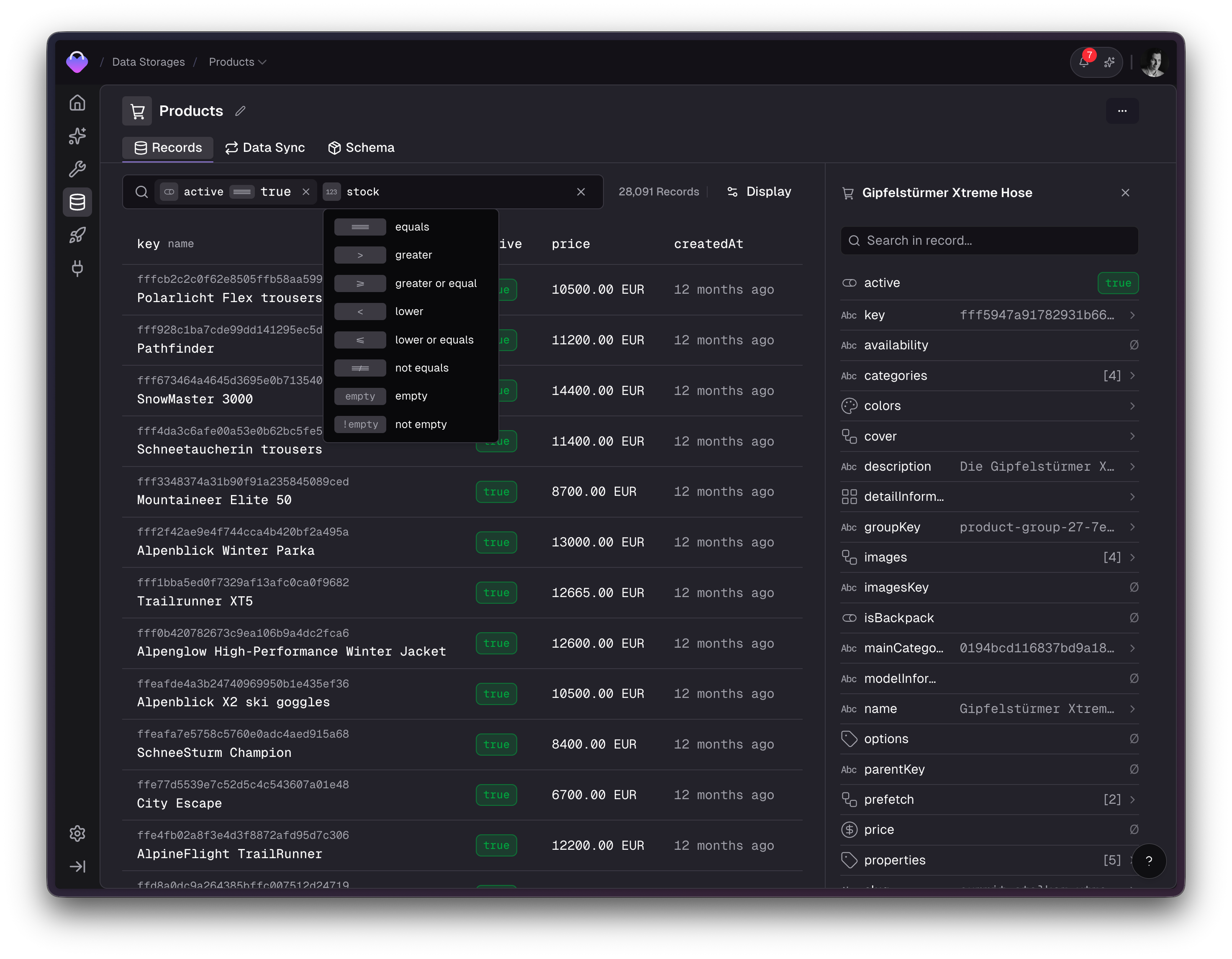
We've completely reimagined the Storage Browser to make working with your data faster, more intuitive, and more powerful.
The storage browser is where you go when something looks odd or needs to be changed - inspect a record, check a value, trace a data issue. The previous version showed every field from a record in one long table. That's complete, but it's not how people actually work. We noticed that users prefer having just a few relevant columns visible by default and then jumping into a detail view when they need to dig deeper.
So we redesigned the browser around that insight: make the table easy to customize, make it fast to open a record, and to find the right fields instead of scrolling through endless lists.
Filters used to live behind a dialog. Now they're right where your data is. The new inline filter bar lets you type to search fields, pick an operator, and enter a value - all without leaving the page. Active filters appear as editable chips that you can adjust or remove in place.
Not every field matters for every workflow. You can now choose a title field to instantly identify records and add extra columns for the specific data points you need. Your configuration persists per storage, so it's always ready when you come back.
Clicking a record opens a refined sidebar with search, field-type icons, and expandable values. Arrays, composites, and long text open in a dedicated detail panel so you can inspect deeply nested data without jumping between screens.
We added full keyboard support across the entire browser:
This makes it possible to navigate from the table, into a record, through its fields, and back - without ever touching your mouse.
createdAt and updatedAtProduct updates in your inbox, roughly once a week, never more.
Unsubscribe any time, one click.